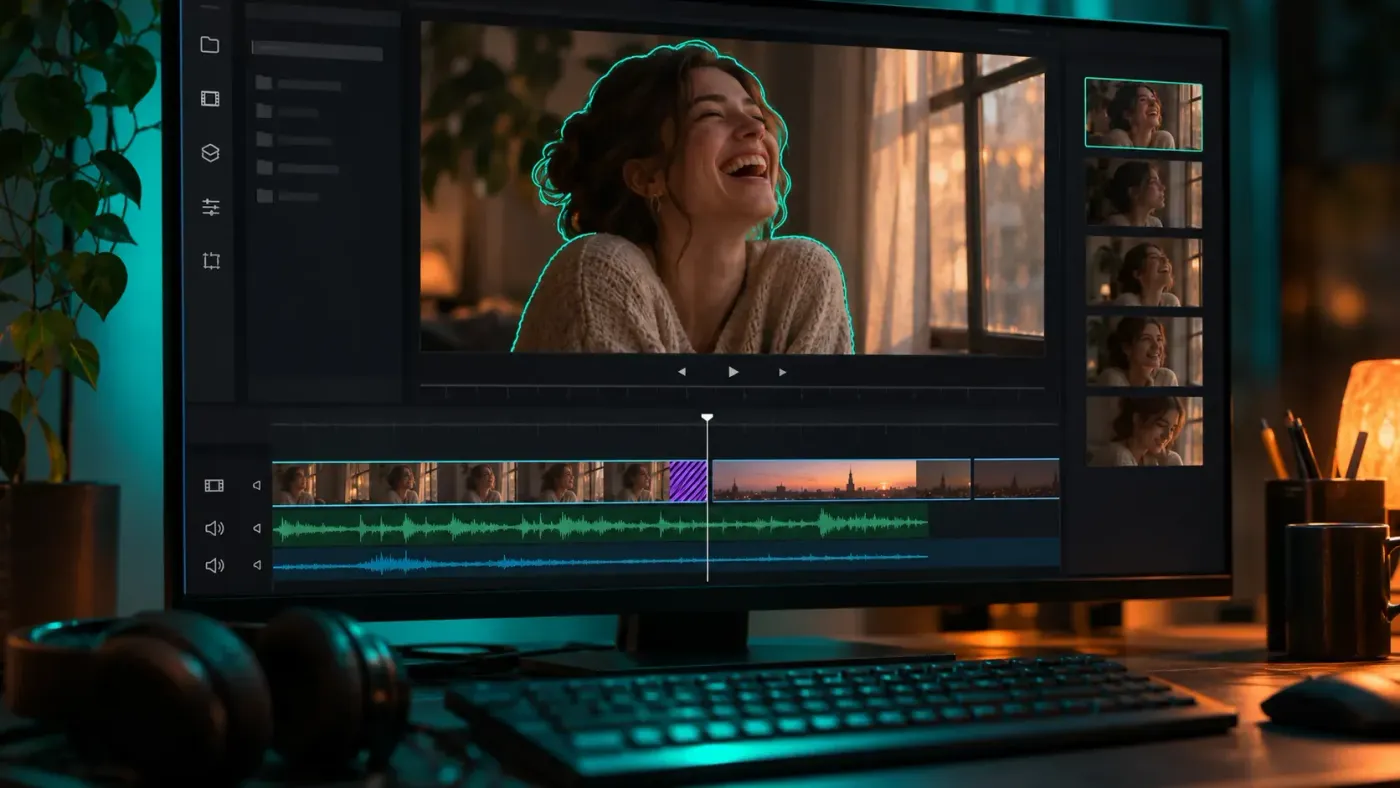
Premiere Pro in 2026: what's new, what's still beta, and when to update
The four 2026 Premiere releases and their patches, sorted into released tools, beta experiments and the free Android app, with a call on when each belongs in a working project.
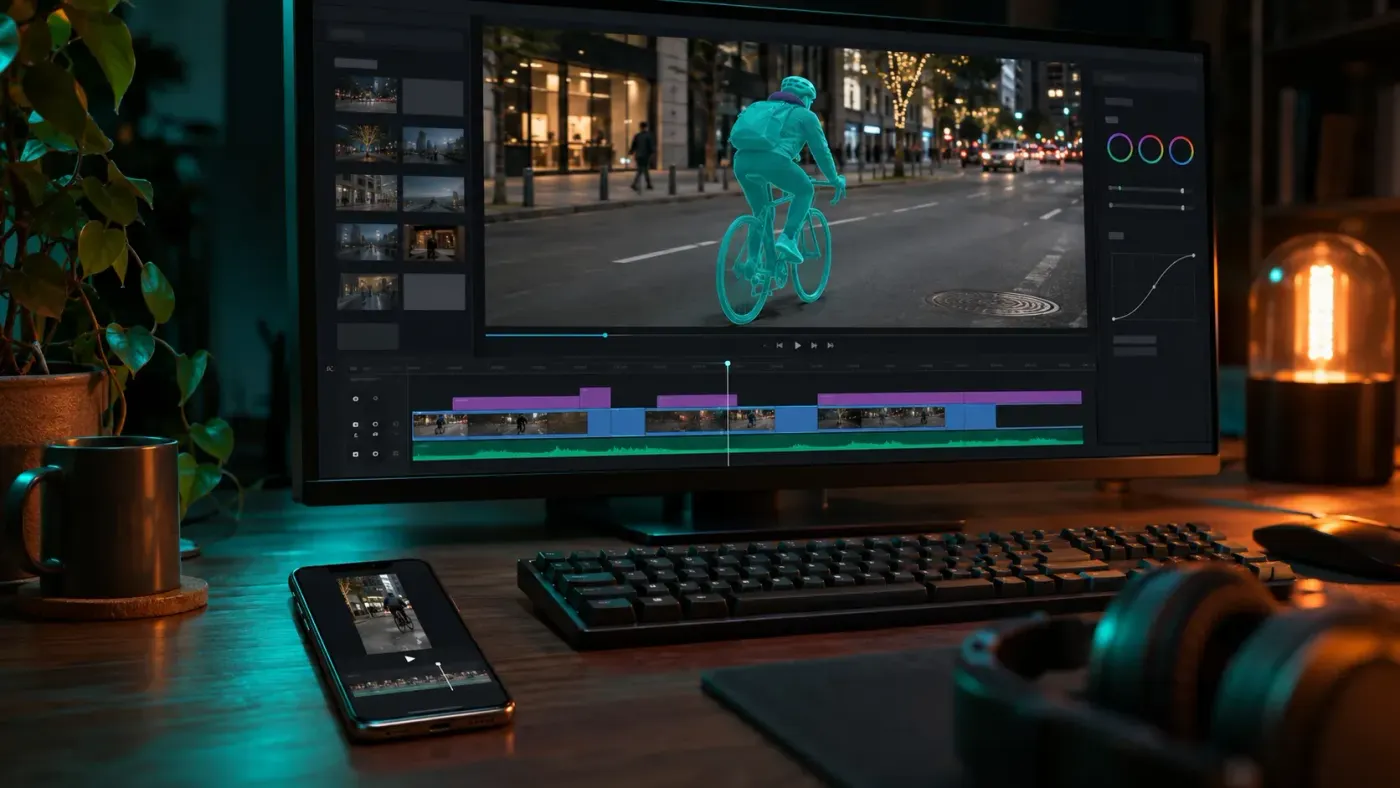
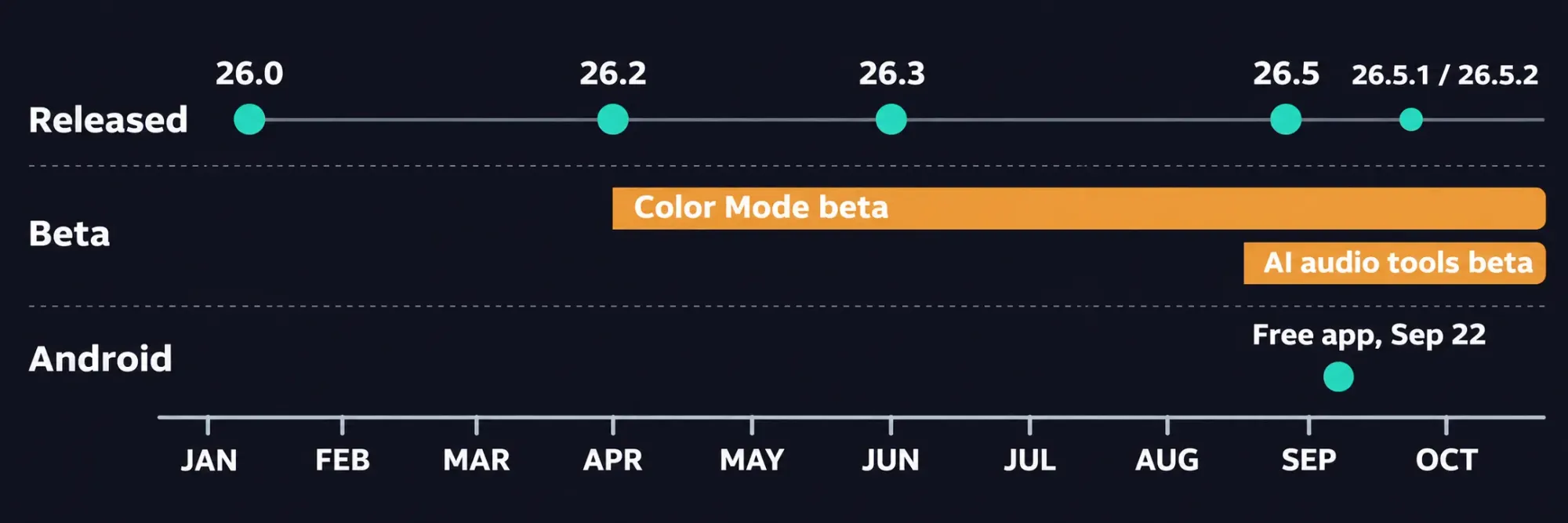
Adobe Premiere (formerly Premiere Pro) shipped four desktop releases in 2026: 26.0 in January, 26.2 in April, 26.3 in June and 26.5 in September, then the 26.5.1 and 26.5.2 patches. The changes most likely to alter how you cut are Object Mask, transition handles on clips, single-word captions, Paper Edit and the Generative Media Tool on the timeline. Color Mode, the new AI audio tools and AI Assistant are still beta, and Premiere on Android arrived on September 22 as a separate free app.
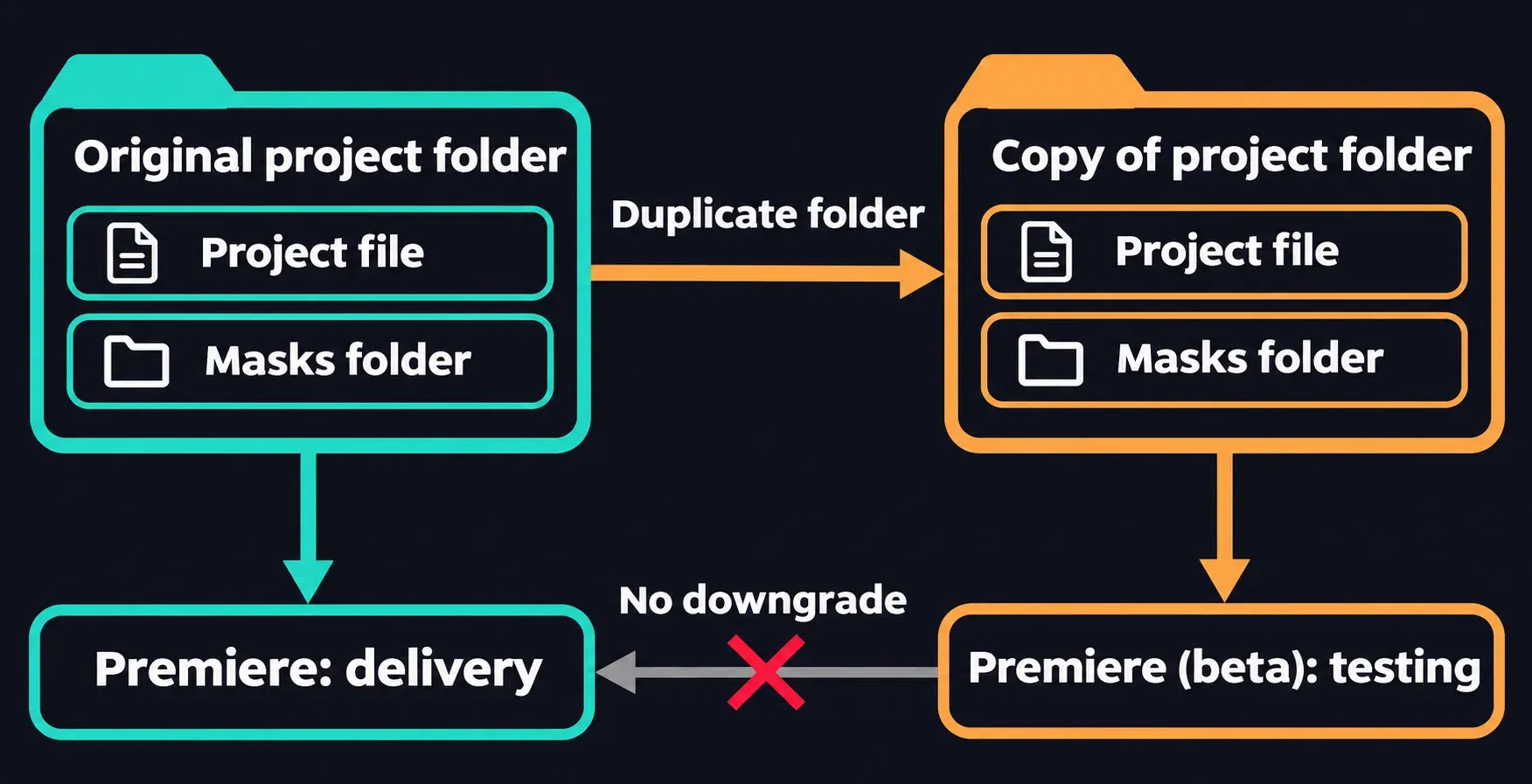
I'd install the released versions between projects and keep the beta tools on a copy of a project, because downgrading a project saved in the 26.x beta isn't supported. Once the beta has saved it, that copy stays a beta project.
There's no separate 2026 edition. The app is now called Adobe Premiere, and the year just groups the 26.x releases, so check which build a 2026 tutorial was recorded in before you hunt for a control.
Match an older tutorial to the 2026 tool
Most of the confusion comes from a tutorial recorded before a tool moved or appeared. Find the task the video shows in the first column:
| The tutorial shows | Where it is now | Release |
|---|---|---|
| Tracing a mask around a moving subject by hand | Object Mask selects the subject with one click and tracks it through the shot | 26.0, with Sharp and Smooth edges in 26.2 and a smoothness control in 26.5 |
| Grading with Lumetri Color | Lumetri Color is still in the release app. Color Mode is a separate grading experience in Premiere (beta) | Color Mode in beta since April 15 |
| Dragging a transition from the Effects panel onto a cut | Transition handles create and adjust transitions right on the clips | 26.0, with Shape Dissolve added in 26.3 |
| Captions in full-sentence blocks | Single-word captions that display one word at a time | 26.3 |
| Relinking offline files one at a time | Smarter search that reconnects offline media across drives and platforms | 26.2 |
| Picking selects from a transcript | Paper Edit assembles a sequence from the lines you select in the Text panel | 26.5 |
| Keyframing music down under dialogue | Dynamic Auto Ducking balances dialogue and music without manual keyframes | Public beta since September |
Update now or after the delivery
I'd sort every change by its label before it reaches a working project. Released tools can wait for the gap between jobs; beta tools stay on a copy.
| Change | Status | My call |
|---|---|---|
| Object Mask and its edge controls | Released, 26.0 to 26.5 | Update between projects. Since 26.3, masks restore automatically when a project moves to another system, so get everyone who shares the project onto 26.3 or later first. |
| Transition handles, single-word captions, Sequence Index, Paper Edit | Released | Update between projects. Each is a new tool, and your existing edit doesn't have to use any of them. |
| Generative Media Tool | Released in 26.5; cloud processing, uses credits | Fine to update for. Read the credit cost in the task bar before each generation. |
| Color Mode | Beta, in Premiere (beta) | Project copy only. Finish delivery grades in Lumetri Color until Color Mode reaches general availability. |
| Generate Soundscape, Generate Music, Enhance Audio, Separate Crosstalk, Dynamic Auto Ducking | Beta | Try them on a copied section. Keep the delivery mix on released tools. |
| AI Assistant | Beta, in Premiere (beta) | Project copy only, for organizing and renaming chores you can check afterward. |
| Premiere on Android | Separate free app | Install it whenever you like. It doesn't change the desktop app or its projects. |
Premiere (beta) is a separate app in the Beta apps tab of the Creative Cloud desktop app. To try it on real work, duplicate the folder that holds the project in Finder on a Mac or File Explorer on Windows, so a Masks folder next to the project file comes along, then open the project inside the copy with the beta. The original stays untouched for the release app, and it's your way back, since the beta copy can't be downgraded.
January, 26.0: masks that follow the subject
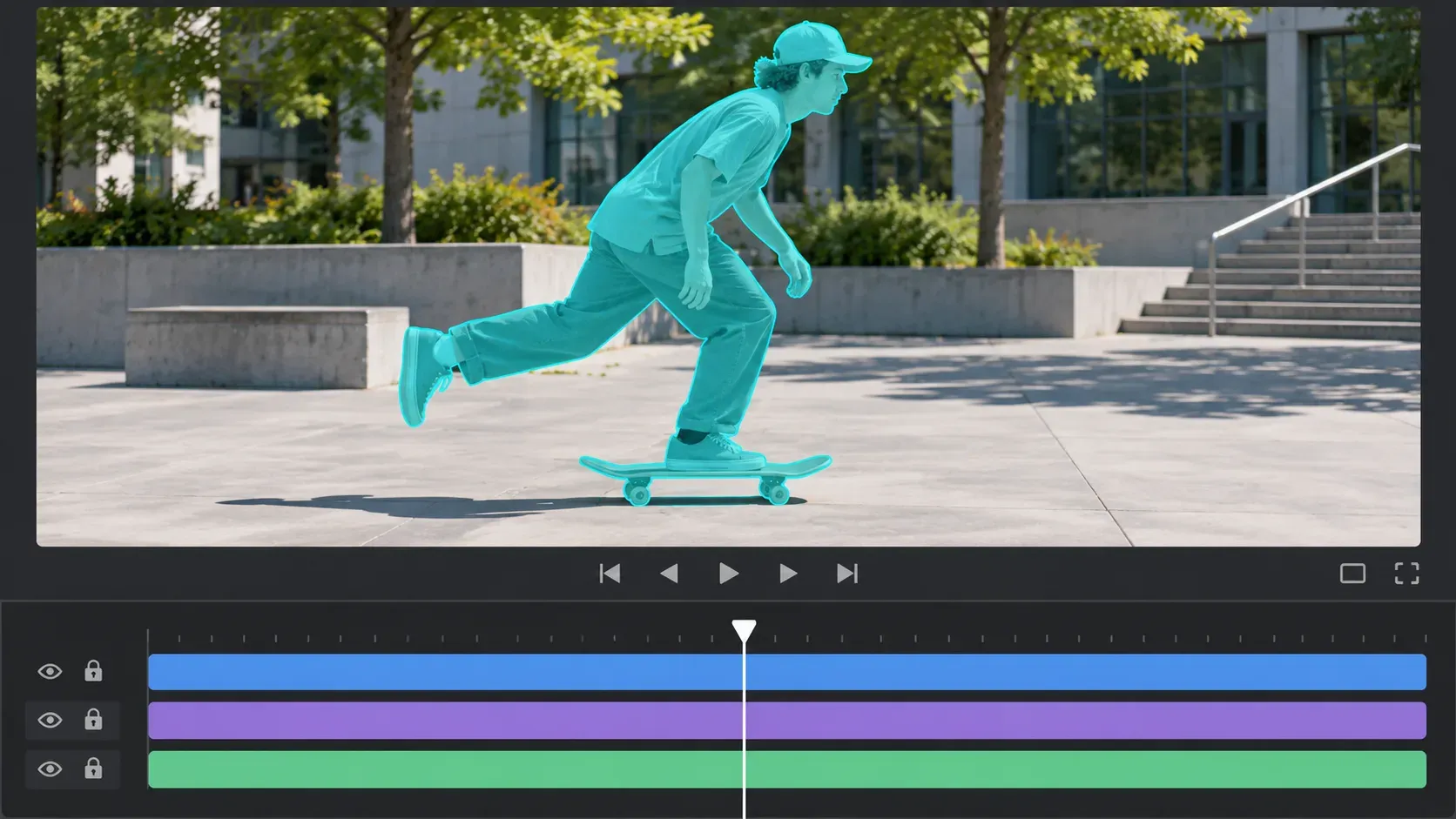
Object Mask finds a person or object with one click and tracks it through the shot. Its model runs entirely on-device, while September's generation tools process in the cloud. The Rectangle, Ellipse and Pen masks were redesigned at the same time, with rounded-corner control, constrained straight lines and bidirectional tracking that runs forward and backward from one frame.
I'd use Object Mask for a person or object that moves and a shape mask for a fixed region like a sign or a window, because a shape follows the geometry you draw while Object Mask follows what it recognizes. Either way, play the shot through turns and wherever something crosses the subject before you accept the edge. April's 26.2 added Sharp and Smooth edge modes, 26.3 sped up mask tracking, and 26.5 added a smoothness control for the edge.
The rest of 26.0 is broad:
- Transition handles let you create and adjust video transitions directly on clips.
- Windows on ARM: Premiere, After Effects, Audition and Media Encoder now run natively on ARM64. On an ARM laptop, confirm with each plug-in's developer that it supports Windows on ARM before you move a working project.
- Media intelligence searches footage for sounds you describe and finds similar shots or alternate takes. Bulk bleep or mute cleans unwanted words across the timeline in one pass.
- Firefly Boards and Firefly on the web send media straight into Premiere on desktop, and a native panel brings Frame.io V4 media into the project.
- Premiere on iPhone projects can be sent to Premiere on desktop to continue the edit.
April, 26.2: Color Mode beta and everyday fixes
On April 15, Color Mode entered public beta for all Premiere subscribers, with general availability planned for later in 2026. It's a grading experience built for editors, and it lives in Premiere (beta), which is available for testing and feedback. Its September update was still labeled beta.
I'd keep grading deliveries in Lumetri Color until Color Mode leaves beta, because a project saved in the beta can't be downgraded to the release app. Lumetri Color stays in the release app, so a Lumetri tutorial is still the one to follow for a delivery grade. Try Color Mode once picture and timing are settled, on a copy whose grade you can compare against the delivery sequence in the scopes, not only by eye.
The 26.2 release itself is about everyday editing:
- Sharp and Smooth edge modes for Object Mask.
- A searchable, spreadsheet-style Sequence Index panel for long timelines.
- Audio waveforms in the Source Monitor alongside the picture.
- Relinking that tracks offline media across drives and platforms.
- Global Audio Mute, markers in the Search panel, and Content Credentials in Export Settings.
- Film Impact effects and transitions, including Channel Blur, Gradient, Noise, 3D Spinback and Slide.
June, 26.3: captions, Shape Dissolve and Magnify
26.3 adds captions that display one word at a time, a Shape Dissolve transition that runs from clean wipes to geometric blends, and a Magnify effect that draws an adjustable lens over a detail. Firefly Boards media can now arrive as a ready-to-edit sequence, with clips in the order you selected them. Canon Cinema RAW Light files from the EOS C50, EOS R6 Mark III, EOS R6 V and EOS C400 are supported, along with two new Sony BURANO V3 resolutions.
I'd generate single-word captions after the cut is locked, because every trim shifts the words, and a one-word caption shows a timing slip faster than a full line does. Play each caption change against the spoken word before you style them.
September, 26.5: generation on the timeline
26.5 puts the Generative Media Tool in the timeline. Describe a shot or a sound effect and Premiere adds the result to the sequence as an editable clip. You choose the model: Adobe Firefly or a partner model such as Google Veo, Kling, Runway or Luma.
Generation runs in the cloud, so it needs an internet connection, and it spends generative credits that vary by model and options. The task bar shows how many credits the current combination will use, and your profile shows the balance. Some models are available only to individual users, not yet to business plans, and the model list varies by region and plan. I'd use it to fill a gap I can't reshoot, a short insert or a missing sound effect, and judge the result against the frames and sound on either side like any other clip.
The same release brought:
- Paper Edit, which builds a sequence from lines you select in the transcript in the Text panel.
- Match Source that now carries the source's audio channels and sample rate.
- A smoothness control for Object Mask edges, a new Lens Flare, an updated Twirl and finer Mosaic softness.
- Generative Extend on more media, from 360p to 4K UHD at any aspect ratio, including interlaced and non-square-pixel footage.
- Support for Sony FX5 cameras, ARRICORE media and hardware 4:2:2 10-bit decoding on NVIDIA Blackwell GPUs.
The 26.5.1 and 26.5.2 patches made the tool's generation and credit usage clearer and simplified its premium-feature pop-up. 26.5.2 also fixed Effect Controls values that weren't kept after Up and Down arrow-key changes, Productions on network storage that sometimes failed to save on the first try while several collaborators worked in them, and green frames in some Long GOP 10-bit 4:2:2 media on Windows without GPU acceleration for the format. If your team shares Productions on a NAS, 26.5.2 is the build to be on.
The beta tools from the same announcement
Generate Soundscape and Generate Music arrived in September as beta tools in the task bar. Soundscape analyzes up to 15 seconds of video to build layered ambience and effects timed to the edit, and Music generates tracks with tempo and looping controls. Three audio tools arrived in public beta at the same time:
- Enhance Audio builds on Enhance Speech, with separate control of dialogue, music, ambience and effects within one clip.
- Separate Crosstalk splits two overlapping speakers into independent tracks.
- Dynamic Auto Ducking balances dialogue, music and other elements without manual keyframes.
Color Mode in Premiere (beta) gained Vignette and Midtones Style Modules and an Auto Color tool that corrects temperature and exposure for a clip, a group or a whole sequence in one click. AI Assistant, the beta's other headline feature, takes typed prompts for chores like organizing assets, batch renaming clips and adding markers.
I'd test the audio tools on a short copied section with dialogue, music and an edit point, because lost syllables, shifting room tone and music that swells at the wrong moment only show up across a cut. Keep the original audio on the delivery project.
Android: free essentials since September 22
Premiere on Android launched on September 22 for free. It edits and exports up to 4K without a forced login, ads or a watermark, and paid upgrades add generative credits and storage. It runs on Android 13 or later with at least 5GB of RAM.
Adobe Fonts, enhanced captions, keyframes, cropping, beat detection and continued editing on Premiere desktop are on its coming-soon list. If a job needs one of them, open the app and look for it before you start the phone edit. I'd use the Android app for a short social cut that starts and ends on the phone, because the hand-off to the desktop app isn't there yet, while iPhone projects already move to the desktop.
Play a demanding cut after the update
After any 26.x update, open a copy of a recent project and play its hardest stretch with sound: a tracked mask, a dialogue edit, a caption change and any third-party effect. Press Spacebar on Windows or Mac and watch that masks hold their edge, lips stay in sync and effects look the way they did before the update. For the update itself and for keeping an older version installed, follow the steps to update Premiere.