What is Adobe Premiere (formerly Premiere Pro) and what is it used for
What Adobe Premiere (formerly Premiere Pro) does, who it suits, why Adobe dropped "Pro", how the free phone apps and Premiere Elements differ, and what the desktop app and its seven-day trial cost.
Adobe Premiere (formerly Premiere Pro) is a desktop video editor for Windows and macOS that turns separate clips into a finished video. You arrange footage in a sequence, shape the sound, correct the color, add titles and export a file people can watch. The desktop app is a paid membership, at US$22.99 a month on the US single-app plan with an annual commitment billed monthly. The free Premiere phone apps and Premiere Elements are separate products.
I'd pick it when the cut has to keep changing: when the length of a pause, the frame where a cutaway starts or the music level under one sentence matters. If you'd rather follow a template from start to finish, the phone app or Elements fits that job better.
From footage to a finished sequence
The timeline is the center of the desktop app. A sequence holds your clips in playback order, with video and audio on separate tracks. Adobe describes Premiere as a tool to organize and edit video files and fine-tune their audio and image quality. An interview can become a documentary scene or a short social video, and a recorded lesson needs the same decisions about the frame and the sound at the playhead.
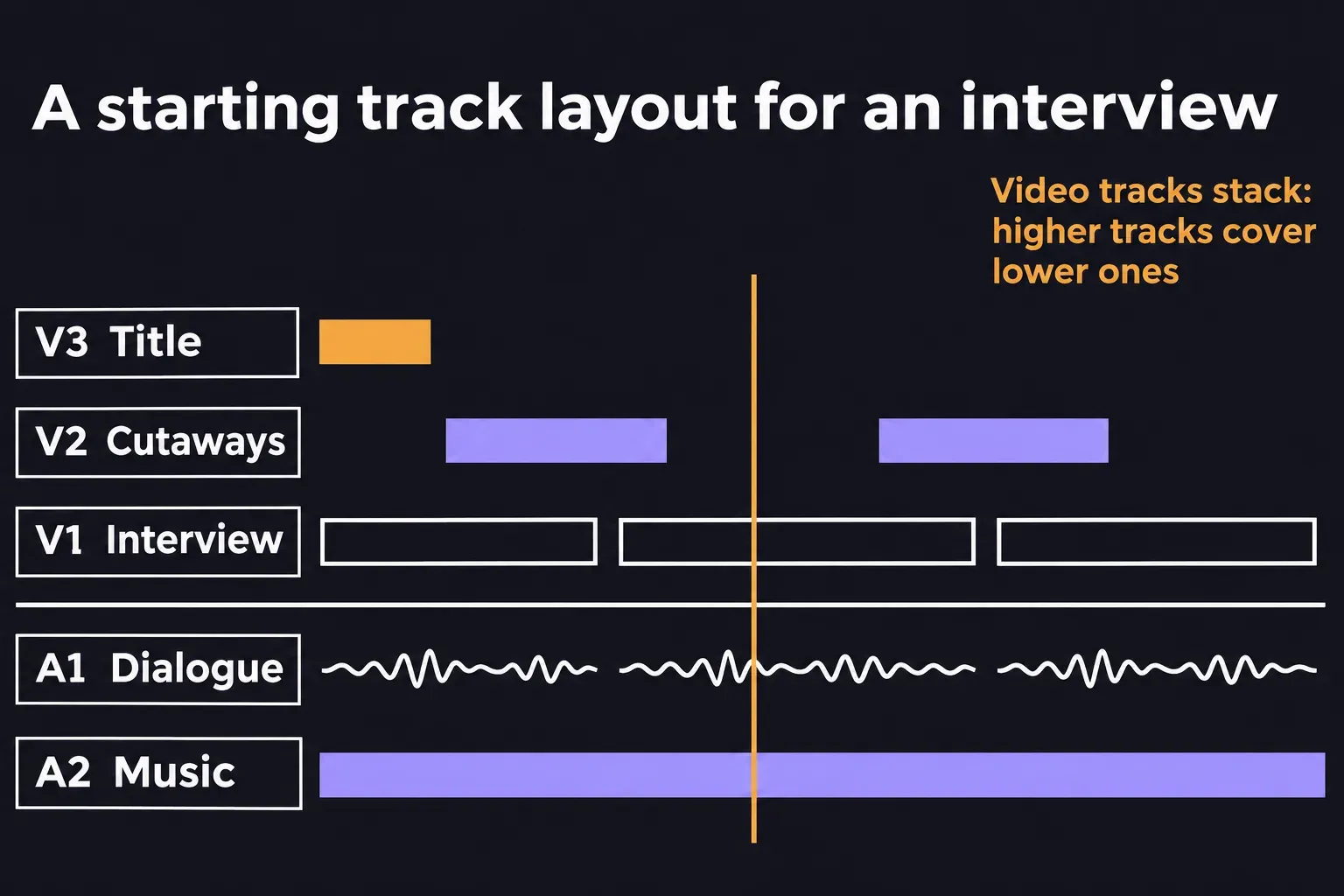
Take a short interview with shots of the speaker at work. A practical starting stack, from top to bottom, is V3 for a title, V2 for cutaways and V1 for the interview, with A1 for dialogue and A2 for music below. It's an example layout, so name the tracks after the material in your own sequence.
- Choose the material. Bring in the interview, the cutaway footage and the music track you plan to use.
- Build the spoken story. Arrange the useful answers on the timeline and cut out the pauses that interrupt the thought.
- Place the pictures. Put a cutaway on V2 above the matching part of the interview on V1, keeping the dialogue on A1. Play across the cutaway's first and last frames to check the change of picture.
- Finish sound and appearance. Set the dialogue and music levels so the words stay clear, even out color differences between shots and add the title.
- Export and watch. Create the viewing file, open it in the player or upload preview where it'll be seen, and check the picture and sound together.
That example also shows the scope of the app. You're choosing how long a pause lasts, the frame where a cutaway starts and how loud the music sits under a sentence. Those are reasons to use a timeline editor even when the finished video runs a minute.
Choose it for the cut you need to keep adjusting
For someone editing alone, I'd choose Premiere when control over the sequence matters more than a prepared template. Dialogue can need another pass after the pictures are in place, and a title can need a new duration after a trim. Learn those relationships on a small project of a few clips before you add effects.
Is it hard for a beginner? The first edit is manageable: a few clips, one dialogue track and a title use only a small part of the interface. What takes practice is deciding where each cut goes, and that skill carries over to any editor. Adobe also offers free training guides inside the app.
A project that will pass to another editor needs an earlier conversation. Agree on the editing app and version, the media the next person needs, and whether they're getting an editable cut or a finished viewing file. Settle that before you build the whole sequence, because a shared product name doesn't make a working handoff.
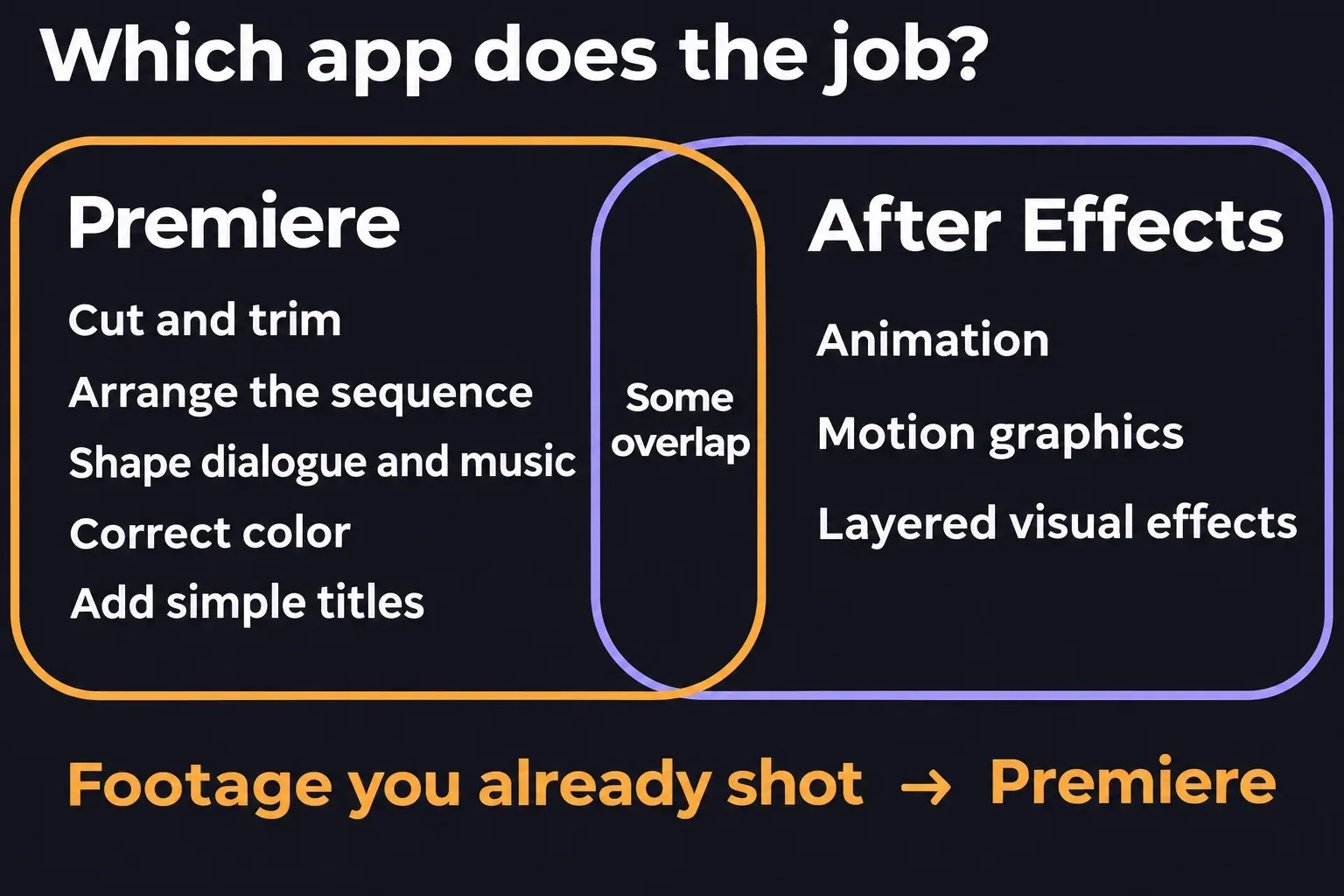
After Effects comes in when the task centers on animation or layered visual effects. Premiere already has text tools, so a straightforward title doesn't call for a second app. Adobe draws the line between cutting, arranging and enhancing footage you've already shot and creating motion graphics and visual effects, and the two programs overlap in places.
Why Premiere Pro is now called Premiere
Adobe dropped "Pro" because Premiere now names a family of apps that spans desktop and mobile. It announced the shorter name in its November 19, 2025 post on Premiere 25.6, describing the same pro-level editing on desktop and iPhone.
So a tutorial that says Premiere Pro is about the same desktop app. What can differ is the version. Check yours under Help > About on Windows, or the app-name menu next to the Apple menu > About on macOS, and compare it with the version the tutorial shows. If a panel or menu has moved, the guide to updating Premiere explains how to change versions without putting the project at risk.
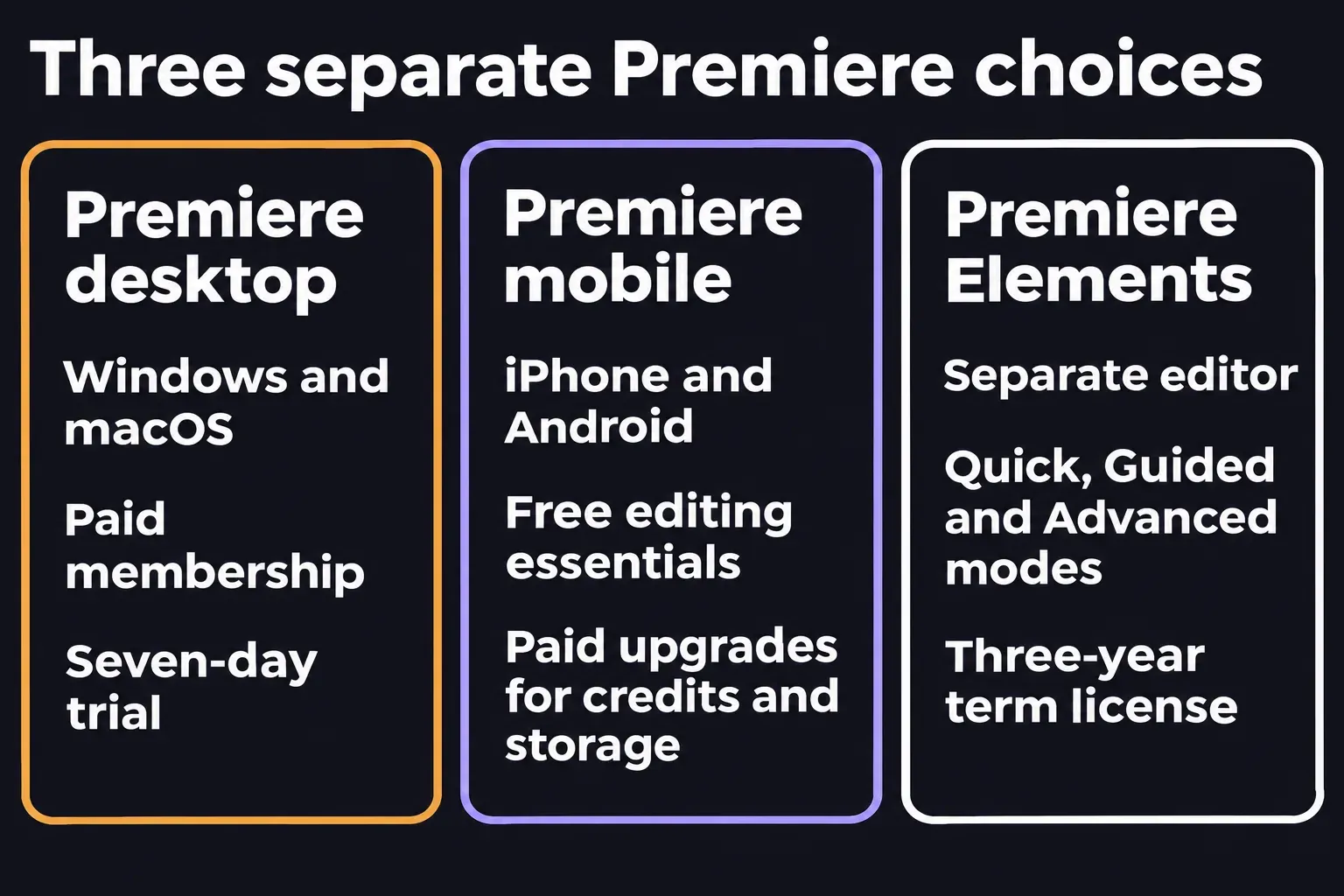
Desktop, phone apps and Elements are separate choices
Premiere on desktop
This is the editor described above, for Windows and macOS through a paid membership. Choose it for arranging and finishing the sequence on a computer. Before the trial starts, check your machine against Adobe's system requirements: the minimum specs are scoped to HD editing, and the recommended ones cover HD, 4K and higher.
Premiere on iPhone and Android
Adobe launched the iPhone app on September 30, 2025 and the Android app on September 22, 2026. Both are free, with the editing essentials included and paid upgrades for extra generative credits and storage. The Android app exports up to 4K without a forced login, ads or a watermark, so you can start cutting phone footage before you buy a desktop membership.
The iPhone app can send work to desktop Premiere for fine-tuning on a larger screen. Don't expect the Android app to do that yet: Adobe lists continued editing on desktop among its coming-soon features.
Premiere Elements
Premiere Elements 2027 is a separate video editor with Quick, Guided and Advanced modes, Guided Edits and creative templates. I'd consider it if you want the software to walk you through a particular treatment rather than build every cut yourself. Adobe sells this edition as a three-year term license, so weigh that term against a monthly or annual Premiere membership.
What the desktop app costs, and how the trial works
Desktop Premiere is available only as a membership, with a monthly or an annual commitment; there's no perpetual license. On the US single-app plan, the annual commitment billed monthly is US$22.99 a month and month to month is US$34.49. Adobe Stock and Adobe Firefly content can cost extra.
I'd take the annual plan only if you'll edit most weeks of the year. After the first 14 days, leaving it early costs 50% of what's left on the year's commitment (30% of the annual commitment in California), while a month-to-month plan simply runs to the end of the paid month.
The seven-day desktop trial is the full current app. Its clock starts when you check out, not when you first open Premiere, and it converts to a paid membership unless you cancel before it ends. Clear editing time for that week before you start it.
For a first project, pick a few clips and one clear spoken idea. Play through each cut, then open the exported file in the player it's going to and listen through the final word.